MOBILedit Forensic is an all‑in‑one mobile forensics tool for extracting physical and logical data from phones, smartwatches, and cloud services; it supports security bypassing on many Android models and offers advanced app analysis and deleted‑data recovery.
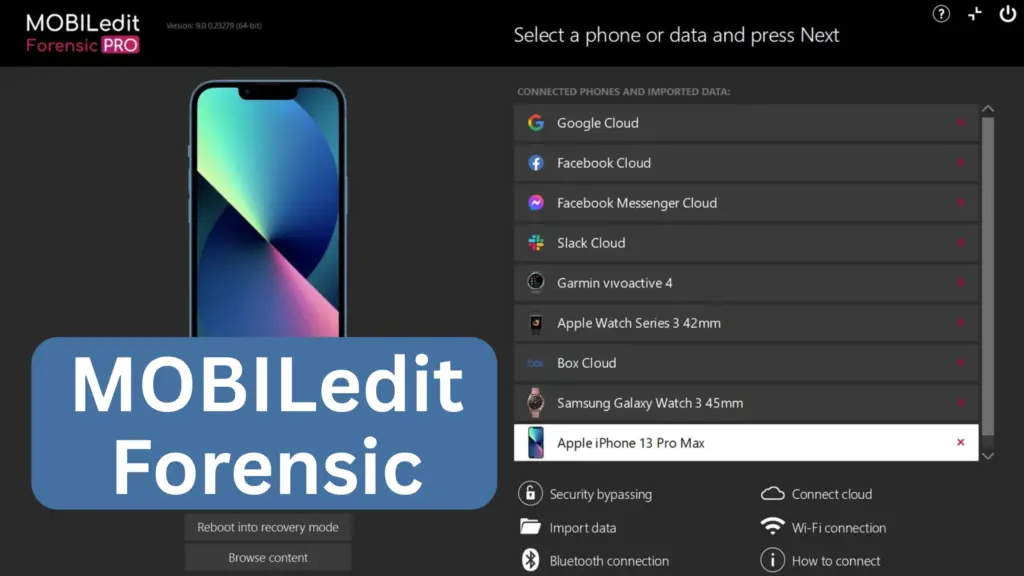
Table of Contents
What this blog covers
A clear, practical review for forensic practitioners and IT teams: what MOBILedit Forensic is, key features, system requirements, pricing and editions, pros and cons, alternatives, practical checklist to make this post actionable, and FAQs.
What is MOBILedit Forensic
MOBILedit Forensic is a commercial forensic suite that performs logical and physical extractions, app analysis, cloud forensics, and reporting. It aims to be a single‑tool solution for labs that need broad device support and security bypass capabilities.
Key features
- Physical and logical extraction (binary images and file‑level data).
- Security bypassing for many Android models (Ultra edition adds stronger bypass tools).
- Deleted data recovery, app parsing (WhatsApp, Viber, Signal, etc.), smartwatch forensics, and cloud service access.
- Concurrent extractions, detailed, readable reports, and camera/photo analysis add‑ons (Camera Ballistics).
System requirements
- OS: Windows 10/11 64‑bit.
- CPU: Intel i5/Ryzen 5 minimum; i7/Ryzen 7 recommended for concurrent tasks.
- RAM: 16 GB minimum; 32 GB recommended.
- Storage: SSD recommended; 1 GB free for app + space for reports.
- Cables: High‑quality USB cables and adapters. Disable antivirus during install to avoid extraction errors.
Editions, price guidance, and quick comparison
| Edition | Best for | Key difference |
| Standard / Pro | Basic lab work | Logical extraction, reporting |
| Ultra | Advanced labs, bypass needs | Built‑in security bypassing, physical extraction |
| Pricing | Varies by license and region; contact vendor for quote. |
Note: MOBILedit sells by license and often requires a demo/quote for exact pricing; expect enterprise pricing for Ultra.
Pros and Cons
Pros
- Wide device and app support, strong reporting, and concurrent processing.
Cons
- Windows‑only, hardware demands for heavy workloads, and pricing requires vendor contact; antivirus settings can complicate install.
Alternatives
- Cellebrite UFED – industry standard for many agencies (higher cost).
- Oxygen Forensic Detective – strong app parsing and analytics.
- Open‑source options – limited scope; useful for specific tasks.
FAQs
Yes for many models in the Ultra edition, but success depends on model and OS version.
Use must follow local laws and authorized investigative procedures.
Conclusion
MOBILedit Forensic is a powerful, lab‑grade tool for investigators who need broad extraction and analysis capabilities; plan hardware, licensing, and training before purchase. If you want, I can help draft a testing checklist or a comparison matrix with Cellebrite and Oxygen Forensic.
Leave a comment below with your device models, budget, or what you want to test, I’ll tailor the next post to your needs.